
How to Ride TrainingPeaks or Intervals.icu Workouts in Another Smart-Trainer App
Export TrainingPeaks or Intervals.icu workouts, choose ZWO, ERG or MRC, troubleshoot sync, and return the completed indoor ride to your training log.
Published
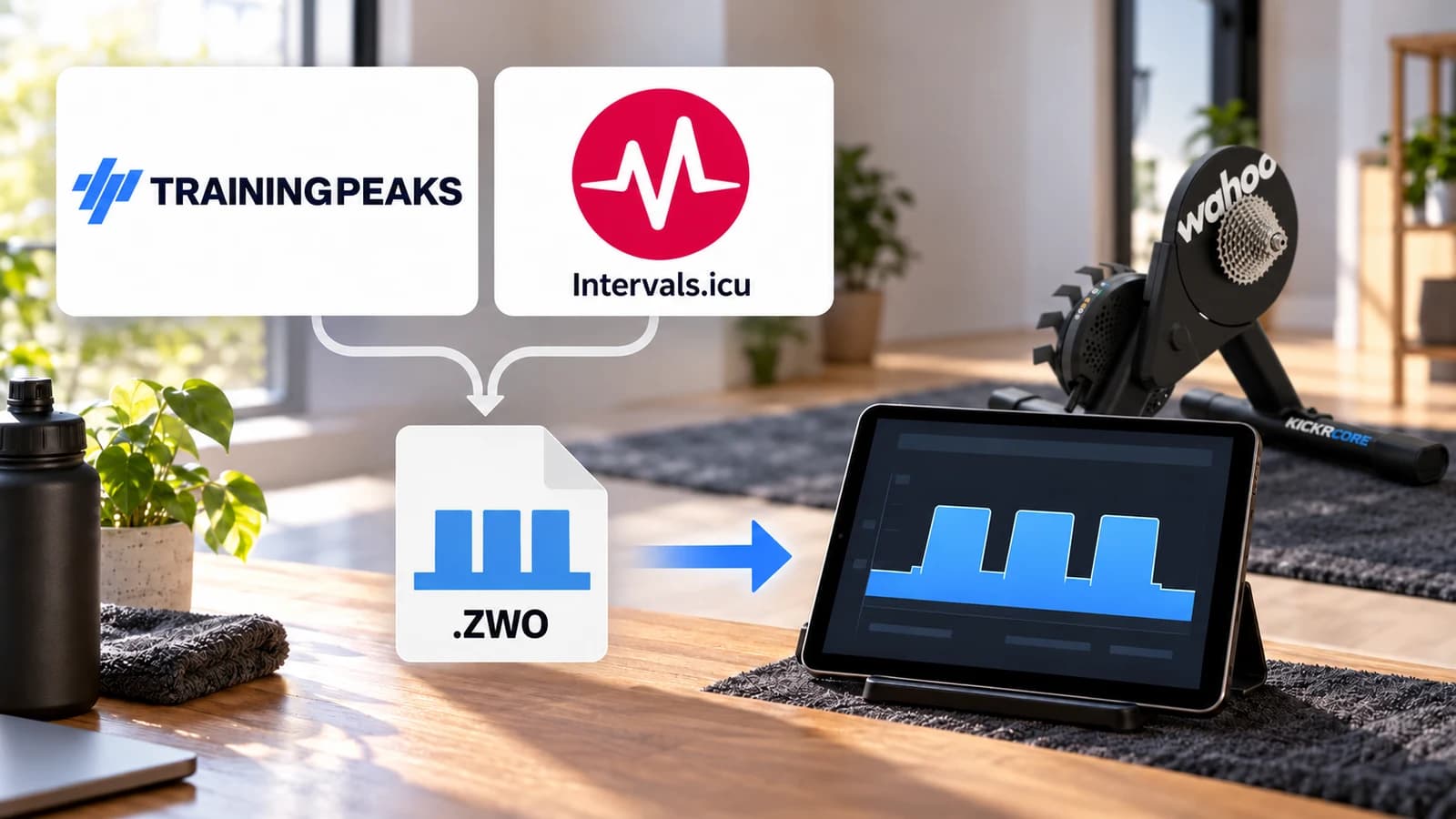
Your coach's workout is in TrainingPeaks. Your trainer app is somewhere else. Today's session has not appeared, or you want to switch riding apps without abandoning the plan.
Use a supported calendar connection, or export a compatible structured workout and import it manually. Then check the destination's power targets. The important return journey is separate: the completed ride must reach the training log where you review your work.
There is no format that makes every workout runnable in every app. Heart-rate targets, power targets, custom instructions and platform-specific features do not all transfer the same way.
Start with a structured workout
A title and coach's paragraph do not necessarily contain machine-readable intervals. A structured workout has blocks, durations and targets an app can execute.
A planned workout describes the session; a recorded activity contains what you rode. Both can use .fit. An activity FIT does not schedule an ERG session, and a workout FIT does not record a ride.
Intervals.icu's FIT documentation explicitly supports these separate roles. Keep that distinction in mind throughout the transfer.
Export a TrainingPeaks workout
TrainingPeaks documents this workflow in its structured-workout export guide:
- If the workout is in your library, apply it to the calendar first.
- Open the calendar workout's Quick View.
- Choose Export in the upper-right corner.
- Select a file type your riding app supports and save it.
- Import it into the riding app and compare its duration and targets.
Export is available on a calendar workout, not directly in the library. For a description-only session, ask your coach for the structured version.
Why the export choices differ
TrainingPeaks supports ERG and MRC for power-based workouts. Its FIT export supports additional target types, with documented cadence limitations. ZWO has its own supported cases, including power workouts and RPE.
RPE can also export as ZWO, so “only FIT means RPE” is unreliable. Inspect the target type and choices. If your destination requires power targets, ask the coach for a power-based version of a heart-rate prescription.
The docs reviewed here do not explicitly settle manual-export entitlement for every Basic or Premium account. Check the available control in your account before buying an upgrade solely for export.
Choose ZWO, MRC or ERG
| Format | Usual cycling power representation | Best reason to choose it | Check after import |
|---|---|---|---|
| ZWO | Fractions of FTP in XML blocks | Zwift's documented custom-workout import or another app accepting ZWO | FTP, block support, instructions and cadence cues |
| MRC | Elapsed minutes and %FTP | A compatible app using relative targets | Destination FTP and whether ramps/repeats remain as intended |
| ERG | Elapsed minutes and watts | A compatible app accepting a watt-based prescription | Whether watts stay fixed or are converted to %FTP |
| Workout FIT | Device-oriented structured steps | A device/app explicitly accepting that planned-workout file | Supported sport and target types; distinguish it from an activity FIT |
- Format
- ZWO
- Usual cycling power representation
- Fractions of FTP in XML blocks
- Best reason to choose it
- Zwift's documented custom-workout import or another app accepting ZWO
- Check after import
- FTP, block support, instructions and cadence cues
- Format
- MRC
- Usual cycling power representation
- Elapsed minutes and %FTP
- Best reason to choose it
- A compatible app using relative targets
- Check after import
- Destination FTP and whether ramps/repeats remain as intended
- Format
- ERG
- Usual cycling power representation
- Elapsed minutes and watts
- Best reason to choose it
- A compatible app accepting a watt-based prescription
- Check after import
- Whether watts stay fixed or are converted to %FTP
- Format
- Workout FIT
- Usual cycling power representation
- Device-oriented structured steps
- Best reason to choose it
- A device/app explicitly accepting that planned-workout file
- Check after import
- Supported sport and target types; distinguish it from an activity FIT
The name ERG mode does not mean you must use an .erg file. A riding app can run a ZWO or MRC session in ERG mode. The file describes targets; the controller sends them to the trainer.
TrainerRoad's format guide describes MRC percentages and ERG watts, and also says it converts ERG imports into %FTP. Other importers can behave differently. Inspect the destination rather than assuming the extension settles scaling.
For relative targets, 100% of 250 W requests 250 W; 100% of 280 W requests 280 W. Match FTP when the same relative session should produce the same watts. Check fixed-watt imports separately.
TrainerRoad's supported Zwift connection is an exception: targets use TrainerRoad FTP. Do not diagnose that flow's watt targets from the Zwift FTP setting alone.
ZWO support does not establish support for every TrainingPeaks custom code, such as TextEvents or MaxEffort. Read imported blocks and warnings before saving.
Put the file into the riding app
Use the app's documented import route. Zwift uses a desktop ZWO folder; other products have their own directories or import screens.
For TrainingPeaks Virtual, first try its native calendar connection: log in with your TrainingPeaks athlete account to sync calendar cycling workouts automatically. It supports duration-based power and heart-rate sessions, and Virtual advertises HR-based ERG control. Riding requires a Premium athlete account.
For file import, its workout guide accepts ERG, MRC and ZWO. Windows uses Documents/TPVirtual/workouts or the user's TPVirtual/workouts; Mac uses ~/TPVirtual/workouts. Copy to your installation's folder, restart and inspect the workout.
For MINI WATT, the workout page documents ZWO, MRC and ERG imports with a review step before saving. It offers a choice to retain ERG targets as fixed watts or convert them to %FTP. Check that choice alongside the imported chart.
Use Intervals.icu as a delivery hub
Intervals.icu's workout builder imports and exports ZWO, MRC and ERG. It also supports text-based workouts and, through its separate FIT support, planned workout FIT files.
Open the Workout Library and use its workout-import function, or create the session in the workout editor. Review the profile, save it and put it on the intended calendar date. Use the planned-workout workflow, not the ordinary upload for completed ride recordings; this distinction is explained by an Intervals.icu forum moderator.
Then connect the destination using its documented integration settings and authorize planned-workout delivery. For Zwift, Intervals.icu's developer announcement documents a rolling next week. Today's session appears on Home; upcoming sessions appear under Workouts > Custom > Intervals.icu. Match FTP across both accounts.
Different connections expose different windows. Do not expect every app to show the whole plan. TrainingPeaks documents today's workout for its Zwift path, while its TrainerRoad connection pulls sessions within two days. Check the source-destination pair rather than applying one provider's window to another.
That TrainerRoad connection pulls four times daily. For a newly added session, try TrainerRoad Account Settings > Connect > Pull Workouts before treating a delay as broken authorization.
Moving a TrainingPeaks plan across
Export and import your permitted sessions through supported file workflows. Do not assume Intervals.icu's ability to receive a file means it has an official automatic feed of your entire TrainingPeaks plan.
tp2intervals is a third-party tool using account-session cookies. Its README notes maintenance and format limits; it does not establish provider approval. Review its requirements and the services' terms. Start with supported file export for one session.
What about Garmin and TrainerRoad plans?
Garmin scheduled workouts and daily suggestions
There is a recent supported option: TrainingPeaks Virtual added synchronization of scheduled workouts from Garmin Connect in version 0.4.39 on 21 September 2026, according to its release notes.
That does not establish transfer of every Garmin Coach session or watch-generated daily suggestion. Check whether your specific session appears through the connection.
Some Garmin devices can execute a saved workout and control a trainer themselves. For example, the Enduro manual describes ANT+ pairing and Smart Trainer Options > Follow Workout. Check your exact device and trainer; this does not establish general Bluetooth FTMS control across all Garmin models.
TrainerRoad
TrainerRoad's official Zwift integration supports indoor cycling workouts and requires active subscriptions to both services.
TrainerRoad's TrainingPeaks export help distinguishes completed activity sync from planned workouts, which it says cannot export to TrainingPeaks. Do not treat completed-ride synchronization as a portable copy of the future plan.
When sync breaks: check these five things
1. Correct accounts and authorization
Confirm the source and destination accounts. Reconnect through their own authorization screens if permissions have expired or changed. A connection sending completed rides may still lack permission to send planned workouts.
2. Date and look-ahead window
Check today's date, timezone and the integration's documented window. Look in the workout library as well as the Home screen. A missing session two weeks away may be outside the window rather than a broken connection.
3. Structured blocks and target type
Open the source workout and inspect its blocks. A description-only entry, run workout or heart-rate prescription may not supply the power targets your riding app expects. Ask the coach for an appropriate structured cycling version.
4. FTP and import interpretation
Compare the target watts, not just the session name. Check FTP in both services and any fixed-watt conversion option. A file can arrive successfully while prescribing a different effort.
5. The return destination
Check where the finished activity uploads and whether that destination is connected. A session arriving from TrainingPeaks does not establish that every rider-selected app can send the activity back there.
If the app crashes, separate that from calendar sync. Keep a supported export as backup and test the alternative controller with a short easy session. One rider's report does not establish a universal limit or comparative reliability.
Get the finished ride back into the plan
Choose one recording/upload path for each destination. A direct supported upload is convenient, but a recorded FIT activity is the useful fallback when the connection fails.
TrainingPeaks documents dragging a recorded device file onto the Athlete Calendar. The file's embedded date determines where it lands. Check the date and actual ride data after upload; do not assume automatic matching to the intended planned session.
Strava is not an automatic relay into TrainingPeaks. TrainingPeaks' own help says the services do not directly sync and describes manual activity-file transfer instead. If MINI WATT records the session, you can use its local FIT directly rather than routing it through Strava first.
Action plan: move today's workout
- 1
Confirm the source contains a structured cycling session with usable targets.
- 2
Choose a supported calendar connection or export the destination's accepted format.
- 3
Preview the imported workout and compare duration, FTP and target watts.
- 4
Ride with one controller, then save the recorded activity.
- 5
Check the intended training log and remove duplicate upload paths.
Common mistakes
Exporting from the library
Apply the TrainingPeaks workout to the calendar first.
Confusing activity FIT with workout FIT
Use the right upload/import workflow for its contents.
Expecting all future workouts to appear
Check that connection's look-ahead window.
Assuming ERG files always stay fixed
Review conversion and target watts in the destination.
Expecting Strava to return the ride to TrainingPeaks
Use direct supported upload or a recorded file.
Changing the plan to fix a sync problem
Check accounts, date, permissions and format first.
When MINI WATT fits
MINI WATT Workouts fits riders importing ZWO, MRC or ERG with review before saving. Its Intervals.icu connection shows the next seven days of planned cycling workouts and lets you upload completed MINI WATT rides to Intervals.icu as FIT activities. It can also send a MINI WATT workout to an Intervals.icu date and time. The dedicated walkthrough covers that interface.
The desktop requirements are macOS 13+ or Windows 10+ 64-bit and a compatible Bluetooth FTMS trainer for ERG control. A 14-day trial is followed by $1.99/month plus applicable tax. If your session starts in TrainingPeaks, use supported file export or a checked Intervals.icu handoff.
When MINI WATT is not the right fit
Choose another path if you require direct TrainingPeaks, TrainerRoad or Garmin synchronization, native iPad/phone/Apple TV riding, ANT+ trainer control or live group workouts. MINI WATT's Intervals.icu connection does not import your full activity history. Do not assume HR/pace prescriptions or every TrainingPeaks custom code run just because a file extension is supported.
For setup help, use the Bluetooth FTMS trainer guide and ERG mode explainer. For a broader app change, the MyWhoosh alternatives guide compares different riding needs.
FAQ
Why can I only export FIT from TrainingPeaks?
Heart-rate or duration-based pace sessions can be FIT-only. Inspect the target type: ERG/MRC require power targets, while RPE can also export as ZWO. Ask your coach for a power-based cycling version when needed.
Why is Export missing from my Workout Library?
Apply the structured workout to the calendar and open its Quick View. TrainingPeaks documents export there rather than directly from the library.
Do I need TrainingPeaks Premium to export?
The reviewed help does not explicitly settle every account's manual-export entitlement. Check whether the control is available on your calendar workout before upgrading solely for it.
Why does MyWhoosh show only two future workouts?
Check the current source-destination connection, dates, permissions and target types. We did not establish an official universal two-workout limit, so do not diagnose the problem from that number alone.
Is ZWO or ERG better for ERG mode?
Choose the format your app accepts and interprets correctly. ERG mode can follow ZWO or MRC targets too; it does not require an ERG file.
What happens when FTP differs between apps?
For relative file imports, different destination FTP settings produce different watts. Check FTP and any conversion. TrainerRoad's direct Zwift connection uses TrainerRoad FTP for targets; Zwift FTP affects block colors instead.
Will the completed ride go back to TrainingPeaks?
Only through a supported configured upload or manual recorded-file transfer. Check TrainingPeaks after the ride. Uploading to Strava alone does not directly sync it there.
Can I ride a Garmin daily suggested workout elsewhere?
Do not assume every suggestion is transferable. TrainingPeaks Virtual now documents scheduled Garmin Connect sync, but that does not establish every watch-generated suggestion or Garmin Coach session.
Does MINI WATT connect directly to TrainingPeaks?
Its published workflow uses file import or Intervals.icu, rather than a direct TrainingPeaks connection. Export and review a supported structured workout.
Can I move a TrainerRoad plan into another app?
Use its documented integrations where available, including Zwift for indoor cycling. Its TrainingPeaks help does not support exporting future TrainerRoad workouts there. Third-party tools need their own checks.
Sources
Documentation checked on 7 October 2026. These are documented workflows, not authenticated account, sync or trainer tests.
- TrainingPeaks: Structured Workout sync and Manual Export, accessed 2026-10-07
- TrainingPeaks: Device and App Compatibility, accessed 2026-10-07
- TrainingPeaks: Import Planned Workouts, accessed 2026-10-07
- TrainingPeaks Virtual: Workouts, accessed 2026-10-07
- TrainingPeaks Virtual: Release Notes, accessed 2026-10-07
- Intervals.icu: Workout builder, accessed 2026-10-07
- Intervals.icu: Planned FIT import and activity upload distinction, accessed 2026-10-07
- Intervals.icu: Workout and activity FIT files, accessed 2026-10-07
- Intervals.icu: Zwift integration, accessed 2026-10-07
- TrainerRoad: Creating a Workout from ERG or MRC, accessed 2026-10-07
- TrainerRoad: Training in Zwift FAQ, accessed 2026-10-07
- TrainerRoad: Completing workouts in Zwift, accessed 2026-10-07
- Zwift: Custom Workouts, accessed 2026-10-07
- TrainingPeaks Virtual: Access requirements, accessed 2026-10-07
- TrainerRoad: Exporting planned workouts to TrainingPeaks, accessed 2026-10-07
- TrainingPeaks: TrainerRoad connection, accessed 2026-10-07
- Garmin Enduro: Using an Indoor Trainer, accessed 2026-10-07
- TrainingPeaks: Drag-and-drop device-file upload, accessed 2026-10-07
- TrainingPeaks: Strava data transfer, accessed 2026-10-07
- freekode: tp2intervals README, accessed 2026-10-07
- MINI WATT Workouts, accessed 2026-10-07
- MINI WATT Download, accessed 2026-10-07
Related Articles
ERG Mode Explained: What Your Smart Trainer Is Actually Doing
A plain-language ERG-mode guide explaining trainer resistance, cadence, gear choice, ordinary response delay, and the first steps for a smoother structured workout.
The ERG Mode Spiral: Why Your Trainer Gets Stuck and How to Get Out
A practical ERG lock recovery guide that explains the cadence-resistance loop, the immediate reset, and the target, gear, and trainer-range checks that prevent a repeat.
How to Ride Intervals.icu Workouts on a Smart Trainer
Step-by-step MINI WATT workflow for connecting Intervals.icu, riding a planned cycling workout, troubleshooting, uploading a completed activity, and importing ZWO/MRC/ERG files.